Running a small business means you’ve got alot of data. Your QuickBooks tracks every expense and invoice. Your inventory system knows what’s selling. Your CRM holds customer information. Your e-commerce platform captures online behavior. But here’s the problem: all that valuable data sits in different systems, and you’re too busy running your business to make sense of it.
That’s where AI business insights change everything.
What are AI Business Insights?
AI business insights takes the data you’re already collecting and transforms it into actionable insights automatically. Instead of spending hours creating reports or trying to spot trends in spreadsheets, AI analyzes your business data in real-time and tells you exactly what you need to know.
Think of it as hiring a data analyst who works 24/7, never takes a vacation, and costs a fraction of the price.
How AI Can Help Small Businesses Work Smarter
Small business owners wear many hats.Throughout the day your role constantly shifts, and you want software that will help your process, not slow it down. AI does this by:
Automatically connecting to your business apps – QuickBooks, your CRM such as Hubspot, inventory management, e-commerce platforms, and cloud storage all talk to each other through AI integration, creating a unified view of your business.
Spotting problems before they become critical – AI could monitor cash flow patterns and alerts you when spending increases unexpectedly or when a major customer’s purchase behavior changes.
Predicting what comes next – Machine learning analyzes historical data to forecast sales trends, identify seasonal patterns, and help you plan inventory and staffing more accurately.
Simplified Reporting – Ontop AI generates customized dashboards showing the metrics that matter most to your specific business.
Making recommendations, not just reports – Instead of just showing you numbers, AI suggests specific actions: “Your marketing spend increased 23% but conversions dropped 8%. Consider reallocating part of the budget from Channel A to Channel B.”
Getting Started: Connecting QuickBooks to AI Analytics
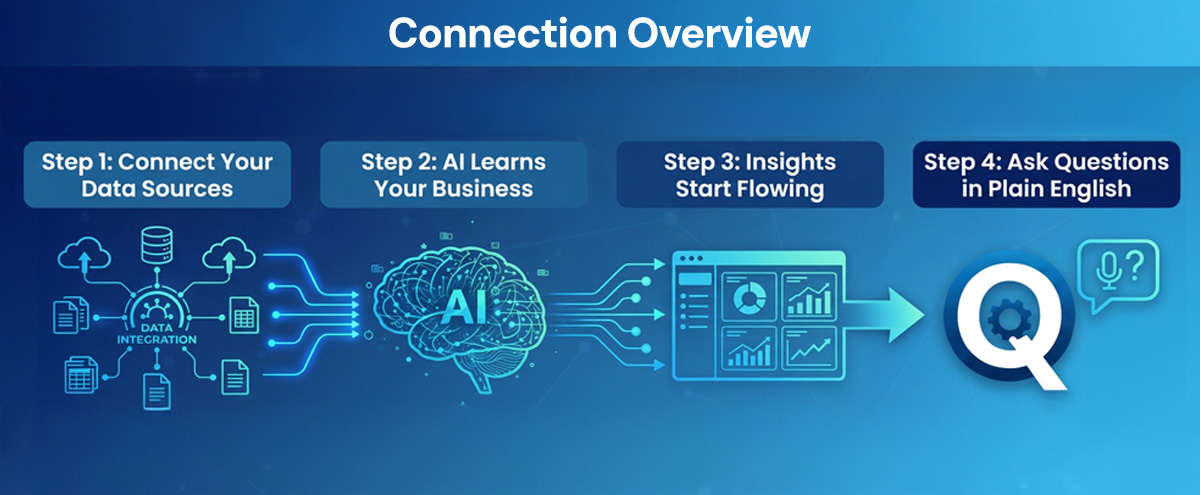
Here’s how modern AI business platforms work with QuickBooks and your other business systems:
Step 1: Connect Your Data Sources
The first step is connecting your business applications. A good AI platform will be able to integrate with:
- Accounting software (QuickBooks, Xero, FreshBooks)
- CRM systems (Salesforce, HubSpot, Pipedrive)
- E-commerce platforms (Shopify, WooCommerce, Magento)
- Inventory management (TradeGecko, Cin7, Fishbowl)
- Marketing tools (Google Analytics, Mailchimp, Facebook Ads)
- Cloud storage (Google Drive, Dropbox, OneDrive)
This connection happens through secure API integrations. You don’t need technical skills—just a few clicks to authorize access, similar to connecting your bank account to a budgeting app.
Step 2: AI Learns Your Business
Once connected, the AI begins analyzing your data patterns. It learns what’s normal for your business: typical sales cycles, seasonal trends, customer behavior patterns, and expense rhythms.
Step 3: Insights Start Flowing
A good AI program will have a full dashboard showing real-time business health metrics, on top of the AI insights. You don’t want to have to leave your AI program to go and have to check data on Hubspot or Quickbooks: you want to do it all in one place. Open it up and you’ll start seeing things like trend analysis comparing this month to last month, this quarter to last quarter or predictive forecasts for cash flow, sales, and inventory needs.
Step 4: Ask Questions in Plain English
The most powerful feature? You can ask your AI system questions conversationally:
- “Which customers are most profitable?”
- “Why did revenue drop last week?”
- “What products should I reorder?”
- “Show me marketing ROI by channel”
- “Forecast my cash flow for the next 60 days”
The AI understands these questions and pulls data from all your connected sources to provide comprehensive answers.
Real-World Example: How AI Transforms QuickBooks Data
Let’s look at a concrete example. Sarah runs a boutique clothing store with both physical and online locations. Before AI integration, her workflow looked like this:
Monday mornings (2-3 hours):
- Export sales data from QuickBooks
- Pull website analytics from Google
- Check Shopify e-commerce sales
- Manually create Excel spreadsheet combining all sources
- Try to identify trends and make decisions
With AI for business:
Sarah opens her dashboard Monday morning and sees:
- Overall revenue up 12% week-over-week
- Physical store sales down 8%, but online sales up 34%
- Top-selling product category: summer dresses (AI recommends increasing inventory by 15 units)
- Customer acquisition cost decreased 18% due to better Instagram ad targeting
- Cash flow forecast shows healthy position for next 90 days
- Alert: One wholesale supplier payment is due in 5 days
Total time: 5 minutes instead of 3 hours. And the insights are more accurate because AI analyzed thousands of data points she would have missed manually.
Why Small Businesses Need AI Now
The competitive landscape has changed. Your competitors aren’t just other small businesses anymore. You’re competing with companies that have data teams and sophisticated analytics. AI levels the playing field by giving you enterprise-level insights at a small business price point.
Data-driven decisions win. Businesses that use data analytics are more productive and profitable than their competitors. AI makes data-driven decision-making accessible to businesses that can’t afford to hire data analysts.
Time is your most valuable resource. Every hour spent creating reports manually is an hour you’re not spending with customers, developing products, or growing your business. AI automation gives you those hours back.
Catch problems early. By the time a cash flow problem or inventory issue shows up in your monthly reports, it’s often too late. AI spots these problems weeks earlier when they’re still easy to fix.
What to Look for in an AI Business Platform
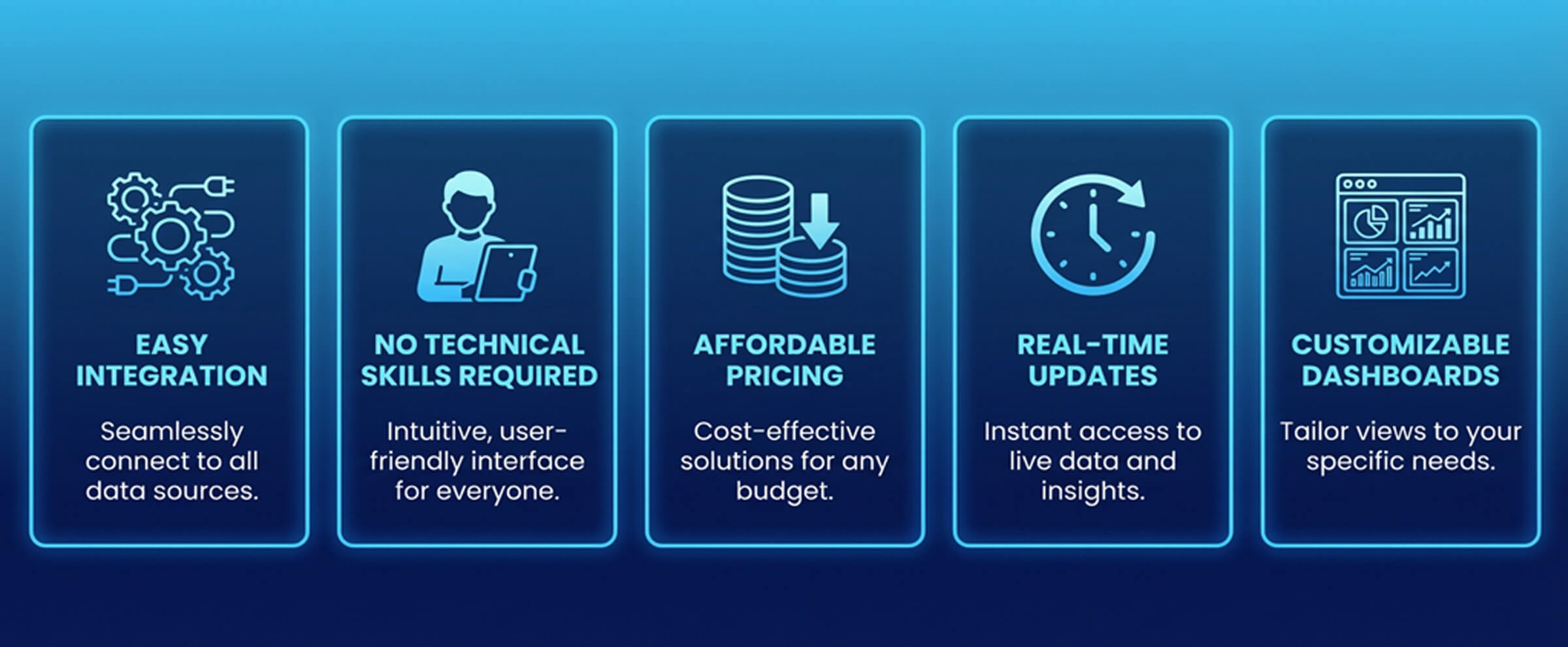
Not all AI business platforms are created equal. Here’s what matters for small businesses:
Easy integration – Setup should take minutes, not days. Look for pre-built connectors to QuickBooks and your other essential business apps.
No technical skills required – You shouldn’t need to hire a consultant or learn SQL. The best platforms let you ask questions in plain English.
Affordable pricing – Enterprise BI tools cost $50,000+ per year. Modern AI platforms designed for small businesses typically run $100-500/month depending on data volume and features.
Real-time updates – Your data should be able to pull in fresh when you need it.
Mobile access – Check your business metrics from anywhere, whether you’re at the store, meeting with a vendor, or on vacation.
Customizable dashboards – Every business is different. You should be able to focus on the metrics that matter to YOUR specific business.
Common Questions About AI and QuickBooks Integration
No. AI business complements your accountant, it doesn’t replace them. Your accountant handles tax strategy, compliance, and financial planning. AI handles daily operational insights and trend monitoring. Many accountants actually recommend BI tools to their clients because it makes their job easier and more valuable.
Reputable AI business platforms access your QuickBooks data through secure API connections, and your data stays in Quickbooks.
Most small business AI platforms range from $150-400/month. Consider that hiring a part-time data analyst would cost $2,000-4,000/month, and they couldn’t work 24/7 or analyze data as quickly as AI.
Not at all. You continue using QuickBooks exactly as you do now. The AI platform reads your QuickBooks data in the background and creates insights without disrupting your workflow.
That’s exactly who these platforms are designed for. If you can use QuickBooks and check email, you can use AI. Most platforms offer onboarding support to get you started.
A good AI data platform will absolutely include visualization support, such as the ability to create graphs and charts from the analysis you receive.
The Future of Small Business Intelligence
AI technology is advancing rapidly, and the tools available to small businesses today would have been science fiction five years ago. We’re moving toward a future where every business owner has a virtual data analyst providing real-time insights and recommendations.
The question isn’t whether to adopt AI business insights—it’s when. Early adopters gain competitive advantages that compound over time. The sooner you start collecting insights, the more historical data you have for AI to analyze, and the better your decision-making becomes.
Take the Next Step: See AI Business Intelligence in Action
Reading about AI capabilities is one thing. Seeing your own business data transformed into actionable insights is another entirely.
That’s why we built ROAI —an AI platform designed specifically for small and medium-sized businesses. We integrate with Hubspot, Quickbooks, Gmail, Outlook, Shopify, Stripe, Google Drive, Odoo, Paypal, Sharepoint and Woocommerce.
Here’s what you get:
- Simple Integrations – Connect quickly and easily, with guides to help you
- Automatic daily insights – Wake up to a dashboard showing what matters
- Plain-English questions – “Show me all outstanding accounts”
- Forecasting* – AI can predict trends based on your existing data
- Data Visualization – The AI can create a graph or chart based on its analysis output
Connect your accounts and see what real insights AI discovers about your business.
Most business owners will be surprised by what they learn. Revenue patterns they never noticed. Customer segments they didn’t know existed. Expenses that could be optimized. Cash flow predictions that change how they plan.
The best business decisions are data-driven decisions. Let AI turn your data into your competitive advantage. Get started here, or reach out to us below.
*The information presented on app.getroai.ai contains AI generated content, and can contain mistakes.